






Learn how to handle MC011 eBay selling restrictions, identify the cause, prepare the right documents, submit an effective response, and restore your eBay selling privileges.
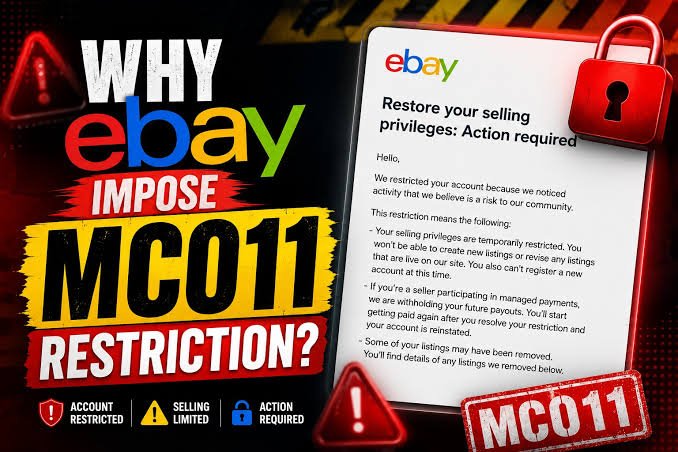
An eBay MC011 message can stop new listings, reduce selling limits, delay payouts, or place your account under review without warning. The fastest response is not relisting products or opening another account. Identify the reason in eBay’s message, fix the problem, and send the right evidence through an official channel.
Exact requirements can vary by country, category, account history, and risk review. Use the wording in your notice as the main guide, then confirm the related eBay policy before responding.
Table of Contents
- What an MC011 eBay Restriction Means for a Seller
- A Notice Is Different From a Permanent Suspension
- Common Reasons eBay May Restrict Selling
- How to Identify the Exact Cause of an MC011 Restriction
- Check Every Official eBay Message
- Audit Listings, Orders, and Account Details
- How to Prepare a Strong MC011 Response to eBay
- Send Only Relevant, Valid Documents
- Write a Short Factual Explanation
- How to Submit an MC011 Appeal and Contact eBay
- Follow the Official Submission Route
- Keep Support Conversations Focused
- How to Restore Selling Privileges and Prevent Another Review
- Improve Listing and Inventory Controls
- Strengthen Fulfillment and Account Security
- When to Seek Professional Help With an MC011 Case
- Conclusion
- Frequently Asked Questions About MC011 eBay Restrictions
What an MC011 eBay Restriction Means for a Seller
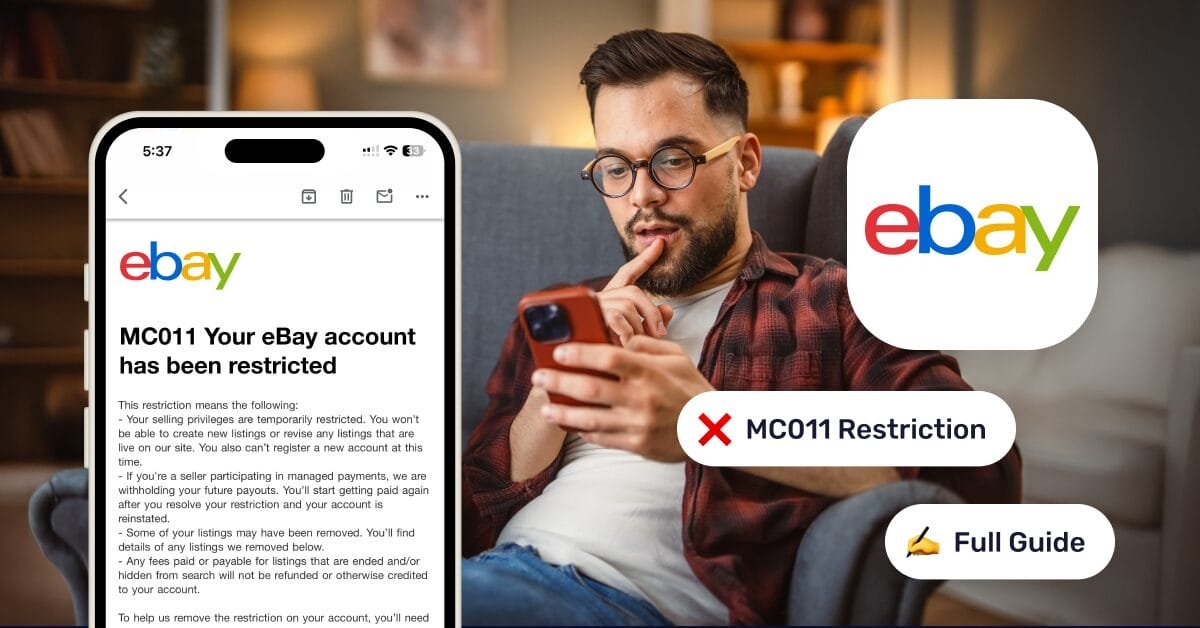
MC011 is a code that may appear in an eBay message about a selling restriction or account review. It does not describe one identical action for every seller. eBay may ask for documents, reduce selling activity, hold payouts, remove listings, or limit account features while it checks the account.
eBay says a restriction message should explain why the action happened and what you must do next in its account restrictions and suspensions guidance.
A notice is different from a permanent suspension
A temporary hold, selling-limit adjustment, verification request, and permanent suspension are separate actions. Read the notice for its duration, affected features, required documents, and review instructions. Do not assume that seeing MC011 means your account is permanently closed.
During a restriction, you may be unable to create or revise listings, sell, contact buyers, or access some account tools. Payouts may also be held, and eBay may end listings depending on the reason for the action.
Common reasons eBay may restrict selling
The message may refer to unusual selling volume, a new product mix, missing account details, or a mismatch in identity, business, address, or payment information. Other possible causes include late shipments, order cancellations, unresolved buyer cases, authenticity concerns, intellectual-property complaints, restricted products, or account-security concerns.
These are possible triggers, not confirmed causes for every MC011 case. Save the notice, listing IDs, order details, payout information, and any deadline before changing the account.
How to Identify the Exact Cause of an MC011 Restriction
A careful review prevents you from sending irrelevant invoices or making changes that create more questions. Start with the notice, then compare it with your listings, orders, performance data, and account records.
Check every official eBay message
Look in eBay Messages, Seller Hub notifications, your Account or Performance dashboards, and the inbox linked to your account. Check the spam folder too. Record the stated reason, requested documents, submission deadline, contact method, and whether eBay named specific listings or transactions.
A genuine restriction email should also appear in eBay Messages. If it does not, avoid clicking links in the email and confirm the account status directly through eBay.
Audit listings, orders, and account details

Review recent listings for accurate titles, photos, brand claims, item specifics, condition notes, product identifiers, and category placement. Check orders for tracking uploads, delivery delays, cancellations, returns, item-not-received claims, and item-not-as-described complaints.
Compare the legal name, business name, address, phone number, tax details, payout account, and ownership information across eBay and your business records. A verification problem needs accurate documents. A policy problem needs corrected or removed listings. A performance problem needs better fulfillment and buyer support.
How to Prepare a Strong MC011 Response to eBay
A strong response answers the exact concern in the notice. It does not include a large folder of unrelated files or a long emotional explanation.
Send only relevant, valid documents

Depending on the request, eBay may ask for identification, proof of address, business registration, supplier invoices, purchase records, bank details, shipping records, or tracking evidence. These are possible document types, not universal requirements.
Documents should be current, clear, complete, and consistent with your account. eBay’s seller registration and identity verification guidance says submitted files must match the account information and be readable. Never send altered, fabricated, cropped, expired, or unrelated documents.
Write a short factual explanation
Include your username, the MC011 reference if one appears, the date of the notice, and a direct acknowledgment of the restriction. Explain the relevant activity, list the corrections you made, and describe the controls you will use to prevent a repeat.
For example, explain that you corrected inaccurate item details, removed stock you could not verify, uploaded valid tracking, updated handling times, or resolved open buyer issues. Ask eBay to review the account after considering the attached evidence. Avoid blame, speculation, duplicate explanations, and claims you cannot prove.
How to Submit an MC011 Appeal and Contact eBay
Use the response method named in the notice. That may be an upload form, appeal link, reply option, or support channel inside eBay.
If your eBay account has received an MC011 notice, submitting a clear and well-prepared appeal can be an important step toward restoring your selling privileges. At E-Commerce Consultants, we provide professional eBay MC011 reinstatement services designed to help sellers understand the restriction, prepare the required information, and submit a structured appeal to eBay. Our specialists review the account situation, identify possible compliance concerns, organize supporting documents, and help create a professional response based on the specific MC011 notice. We focus on accurate, policy-compliant submissions rather than generic appeal templates, while maintaining confidentiality throughout the process. If you need assistance with an MC011 restriction, our experienced team can guide you through the reinstatement process and help you communicate with eBay more effectively.
Contact E-Commerce Consultants

Need professional help with your eBay MC011 restriction or seller account reinstatement?
E-Commerce Consultants is here to assist you with reliable and confidential account reinstatement services. For consultations and assistance, you can contact Mrs. Aneeka Noor directly on WhatsApp at +92-304-7115557 or email aneekareinstate@gmail.com. You can also reach our
CEO Zahid Ubaid on WhatsApp at +92-300-8394402 or email us at ecconsultantspr@gmail.com. Contact us today to discuss your account issue and learn more about our eBay, Amazon, Walmart, and other e-commerce seller account reinstatement services.
Follow the official submission route
Do not send identity documents to unofficial email addresses, social media accounts, or unknown third parties. Use the link or upload process provided in the MC011 message, then save the confirmation number, case ID, submitted files, and date.
If the notice links to a policy page, read that page before responding. eBay’s prohibited and restricted items policy explains that policy action can include listing removal, activity restrictions, or account suspension.
Keep support conversations focused
Prepare a short case summary with your username, notice date, restriction type, actions completed, documents submitted, and the question you need answered. Ask which requirement remains unresolved instead of asking only for immediate reinstatement.
If the first appeal fails, read the response for missing evidence, inconsistent information, or an unresolved policy issue. Correct that problem before trying again. Repeated copy-and-paste appeals, new accounts, and transferring restricted activity to another account can make the review harder; eBay’s selling-limit policy says account restrictions must not be bypassed.
How to Restore Selling Privileges and Prevent Another Review
Restoration depends on eBay’s decision and the reason stated in your notice. You can improve your position by fixing the operating problem before requesting another review.
Improve listing and inventory controls
Keep invoices, supplier records, serial numbers, authenticity evidence, and condition notes for products that need them. Before publishing a listing, check the category, product claims, images, intellectual-property issues, safety rules, and restricted-item requirements.
eBay’s selling limits guidance explains that active and sold listings count toward monthly limits. Keep stock levels accurate so orders do not require cancellations because an item is unavailable.
Strengthen fulfillment and account security

Set handling times that match your actual capacity. Upload valid tracking promptly, monitor delivery exceptions, answer buyer messages, and resolve returns or item-not-received cases within the required time.
Check Seller Hub and the seller standards policy regularly. eBay measures issues such as cases closed without seller resolution and transaction defects, and poor performance can lead to selling limits or other restrictions.
Keep your legal name, business details, address, tax information, payout account, and identity records current. Use a strong password, enable two-step verification, and investigate unfamiliar account activity before listing again.
When to Seek Professional Help With an MC011 Case

Specialist help may be useful when the case involves linked accounts, authenticity or intellectual-property claims, repeated failed appeals, ownership disputes, high-value stock, payment holds, or tax and legal questions. A consultant cannot guarantee reinstatement and cannot replace truthful records.
Choose help based on clear pricing, a defined service scope, secure document handling, and verifiable experience with similar cases. Avoid anyone who promises guaranteed reinstatement, advises false documents, hides account ownership, or recommends bypassing eBay enforcement. Keep control of your password and submit sensitive files only through eBay’s authorized process.
Conclusion
Resolve MC011 eBay selling restrictions in the order eBay can verify: read the full notice, identify whether the issue involves verification, policy, performance, security, or account linkage, then audit the related records.
Submit accurate evidence through the official channel and keep every case reference. If eBay rejects the first response, fix the unresolved issue before appealing again. Accurate listings, reliable fulfillment, consistent account details, secure access, and organized business records give your account the best chance of restoring selling privileges and avoiding another review.
Frequently Asked Questions About MC011 eBay Selling Restrictions
What does MC011 mean on eBay?
MC011 is a code that may appear in an eBay message concerning a selling restriction or account review. The exact action can vary depending on the seller’s circumstances and the information in the notice.
Is an MC011 restriction the same as a permanent eBay suspension?
No. An MC011 notice does not automatically mean that an account has been permanently suspended. It may involve a temporary restriction, selling-limit adjustment, verification request, account review, or other action.
Why did eBay restrict my selling privileges with MC011?
Possible reasons include unusual selling activity, missing account information, verification issues, performance problems, authenticity concerns, intellectual-property complaints, restricted products, account-security concerns, or other issues identified by eBay.
What should I do after receiving an MC011 notice?
Read the complete notice carefully, identify the stated reason and requirements, review your listings and account records, correct the relevant issue, and submit the requested information through the official eBay channel.
What documents can eBay request for an MC011 case?
Depending on the specific case, eBay may request identification, proof of address, business registration, supplier invoices, purchase records, bank information, shipping records, or tracking evidence. The documents required vary by case.
How should I prepare an MC011 appeal?
Your response should address the specific concern mentioned in the notice. Provide accurate and relevant evidence, explain the corrective actions you have taken, and describe the steps you will use to prevent the issue from happening again.
Can I create another eBay account after receiving MC011?
Creating another account to bypass an existing restriction can create additional problems. Sellers should follow eBay’s instructions and resolve the original restriction rather than attempting to circumvent enforcement.
Where should I submit my MC011 response?
Use the submission method provided in the MC011 notice. This may include an upload form, appeal link, reply option, or an eBay support channel. Avoid sending sensitive documents through unofficial channels.
What should I do if eBay rejects my MC011 appeal?
Read eBay’s response carefully to determine whether evidence is missing, information is inconsistent, or an underlying policy issue remains unresolved. Correct the identified problem before submitting another response.
How can I prevent another MC011 review?
Maintain accurate account information, use reliable suppliers, keep proper business records, create accurate listings, maintain appropriate handling times, upload valid tracking, resolve buyer issues promptly, and protect your account with strong security practices.
When should I seek professional help with an MC011 case?
Professional assistance may be useful for complicated cases involving linked accounts, authenticity or intellectual-property claims, repeated unsuccessful appeals, ownership disputes, payment holds, or other complex account issues. No consultant can guarantee reinstatement.
#eBayMC011 #eBayMC011Appeal #eBayAccountReinstatement #eBaySuspendedAccount #eBaySellerAccount #eBaySellerHelp #eBayAppeal #eBaySuspension #eBayAccountSuspension #eBaySellerSupport #eBayReinstatement #eCommerceConsultants #eCommerceBusiness #eBayBusiness #OnlineSeller #SellerAccountReinstatement #eCommerceSolutions #eBayPolicy #eBayCompliance #SellerSupport